Stop texting
“you owe me.”
Rent with your roommates, a weekend trip with friends, or lunch you covered for a co-worker. Gloslate keeps the tab, does the math, and tells each person exactly what to send. No spreadsheets. No calculator screenshots. No awkward reminders.
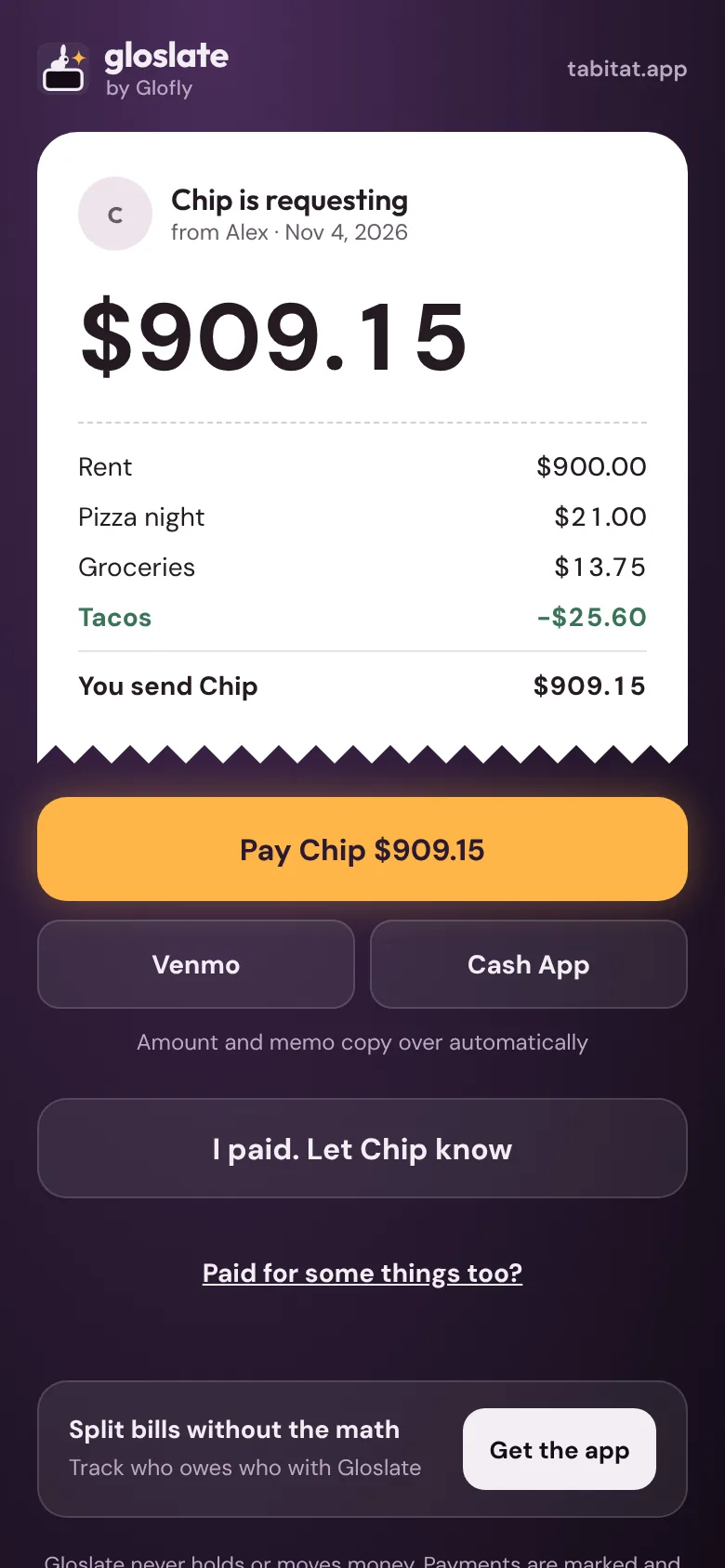
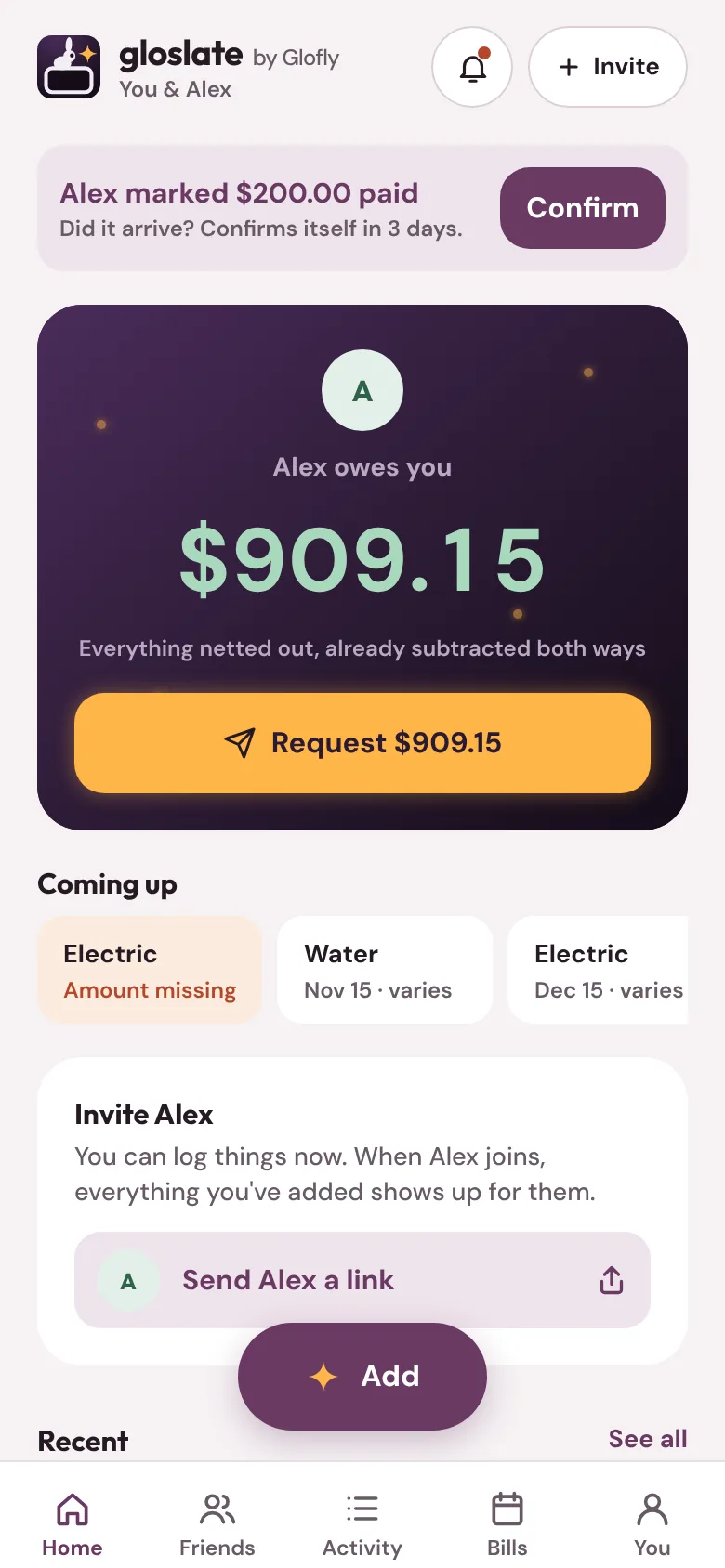
Log it in three taps. Gloslate does the math.
Your home, a group trip, or just you and one friend. After that, the tab keeps itself.
Start a tab
Set up your home once and bills like rent post themselves. Or start a group for a trip, or settle up with just one person. Add people by name; they join with a link when they're ready.
Add what people paid
Groceries, a cabin, a pizza for four. Type the amount and who paid, even when two people split the bill. Everyone sees it right away, with their share already worked out.
Settle up in the fewest payments
One number per person, already netted. In a group, Gloslate works out the fewest payments that settle everyone. Send a request, they pay in the app they already use, and you're even.
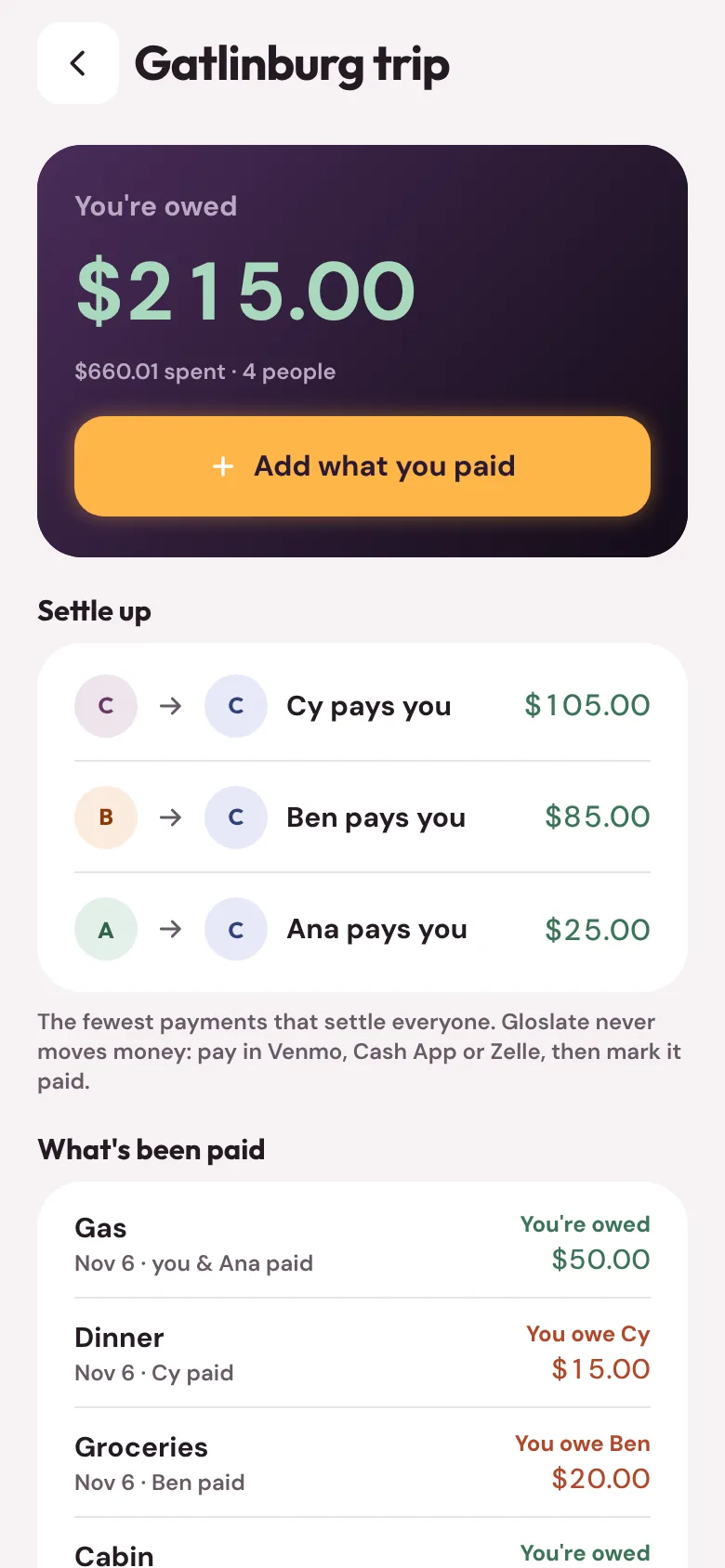
Everything nets out. Nobody does subtraction.
You covered rent, they covered dinner. Two of you split the cabin on the trip. Gloslate nets it all out and shows one amount per person, with every line behind it a tap away.
-
Fewest payments possible. With three or more people, Gloslate finds the shortest way for everyone to get square.
-
Any split you like. Even, by percentage, by exact amount, or by shares. Your usual split is saved.
-
Every change is kept. Edits and deletions are recorded with what changed, so nothing quietly disappears.
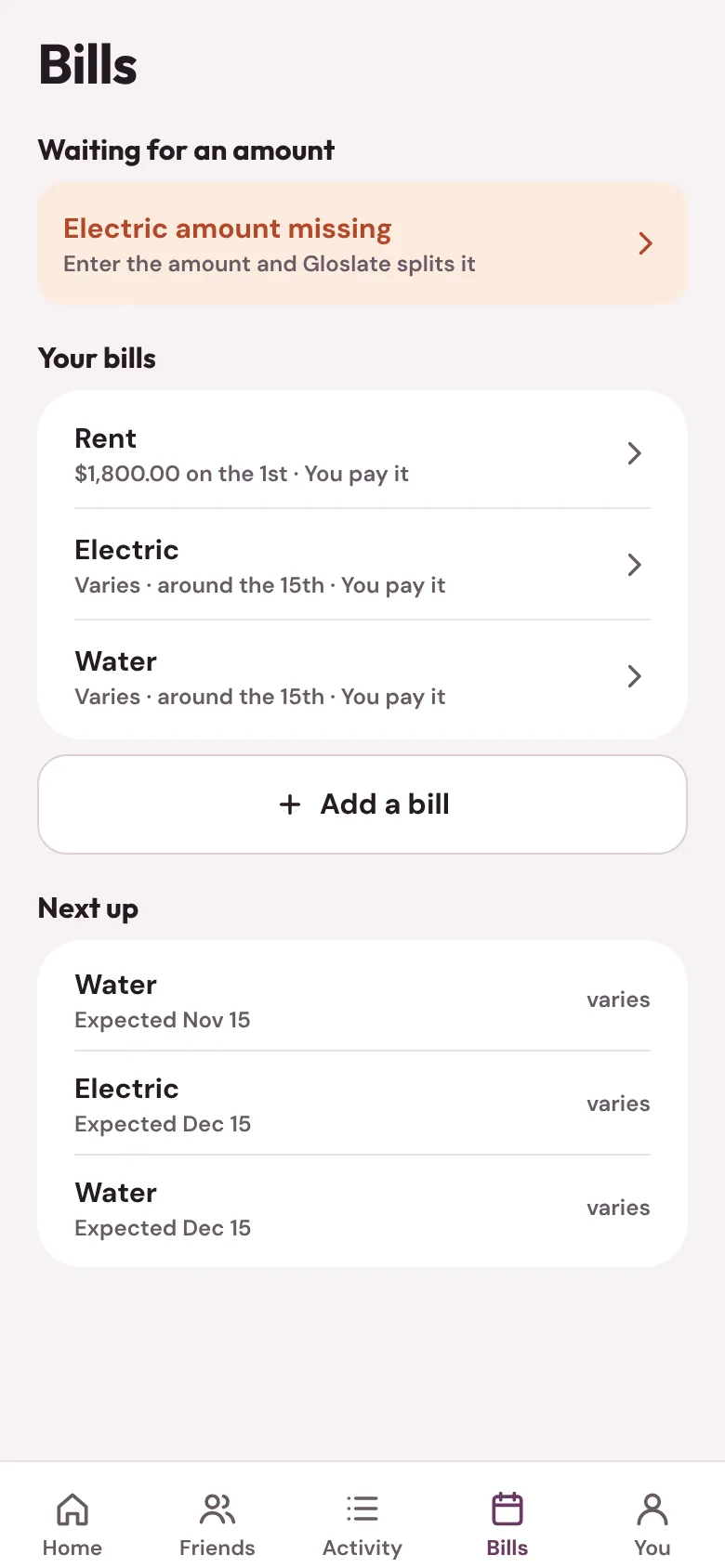
Bills that post themselves.
Rent goes on the tab on the 1st. When the electric bill arrives, whoever pays it types the amount once and Gloslate splits it for everyone.
-
Moving in or out mid-month? Bills split by the days each person actually lived there.
-
A gentle nudge if a bill's amount is still missing a few days after it usually arrives.
A link instead of a lecture.
Every request is a clean page with the total, the breakdown and a Pay button that opens Venmo or Cash App with the amount filled in. It works on any phone, even if they never download Gloslate.
-
Nudges, not nagging. Set a limit like $40 or 7 days and Gloslate sends the reminder, so nobody has to be the bad guy.
-
Paid means paid. One person marks it, the other confirms it arrived, and it's off the list for good.
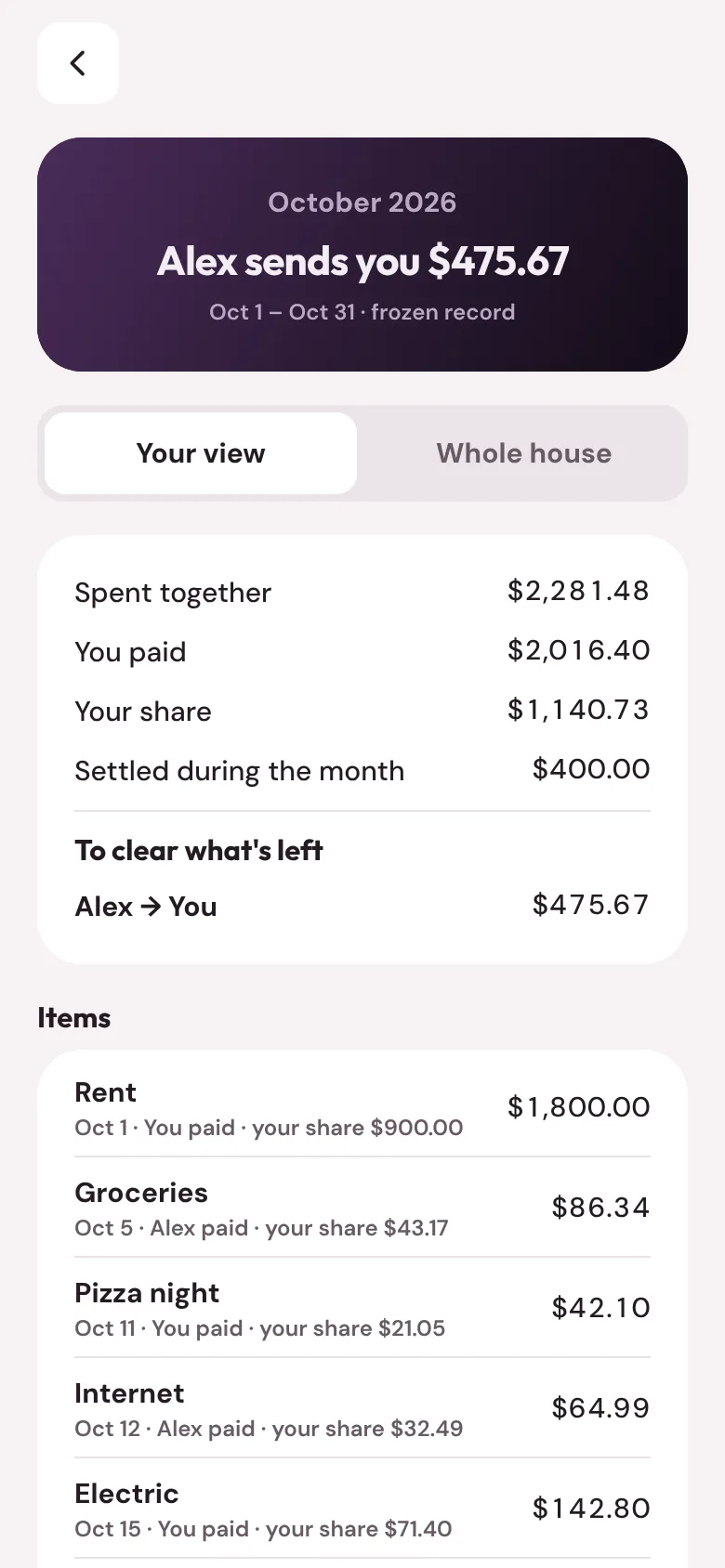
A clean record of every month.
On your statement day Gloslate closes the month: what you spent together, who paid what, and exactly what clears it. Download it as a PDF for a move-out, a landlord or taxes.
Built for real life.
Scan a receipt
Point your camera at a receipt and the total fills itself in. The text is read on your phone, not on our servers.
Who had what
Tap who had each item on a dinner bill. Tax and tip split in proportion, down to the cent.
One friend or twenty
Your home with up to 5 people, a trip with up to 20, or a one-on-one tab with a friend. Choose who's in on each expense.
Home screen widget
Your balance at a glance on your home screen, on iPhone and Android.
Face ID lock
Keep your balances to yourself with Face ID or your passcode.
Phone, tablet, foldable
Designed for iPhone, iPad and Android phones, tablets and foldables.
Quiet hours
Notifications wait until morning, and you choose which ones you get.
Your data, anytime
Export a year as a spreadsheet, or everything about you as a file.
Invite with a link
Add people before they join. When they do, everything is already there.
Your money stays yours.
We never touch your money
Gloslate tracks who owes what and opens the payment app you already use. No bank logins, no card numbers, no money passing through us.
Receipts read on your phone
Receipt scanning happens on your device. A photo is only uploaded if you choose to attach it.
Leave whenever you want
Export your data or delete your account from Settings. No ads, and we don't sell your information.
Free for your home, your trips and your friends.
Unlimited expenses, every day. No ads between screens. No caps that show up right when you need them.
- Unlimited expenses and bills
- Payment requests and reminders
- Monthly statements and exports
- Up to 5 people per home, 20 per group
Good to know
Does Gloslate move my money?
No. Gloslate keeps the tab and opens Venmo or Cash App with the amount filled in, or shows the Zelle details to use. Your money never passes through Gloslate, and Gloslate never asks for your bank or card details.
Does everyone need the app?
Not to pay you. Requests open as a web page on any phone. You can add people before they join, and everything you've logged shows up for them when they do.
Can I use it for a trip or just one friend?
Yes. Start a group for a trip or anything a few people share: everyone adds what they paid, even when two people paid for the same thing, and Gloslate works out the fewest payments to settle everyone. For one person, tap Settle up with someone, enter the amount, and send them a request.
What if we don't split everything 50/50?
Split evenly, by percentage, by exact amounts or by shares, and choose who's in on each expense. For a dinner bill, tap who had each item and Gloslate splits tax and tip in proportion.
How do bills that change every month work?
Fixed bills like rent post themselves on the day they're due. For bills that change, like electric, Gloslate asks whoever pays it to type the amount when it arrives, then splits it for everyone.
What if someone says they paid but didn't?
A payment only counts once the person who received it confirms it. If something looks wrong, either of you can question a payment for 30 days.
What happens when someone moves out?
Bills split by the days each person lived there. Settle up before they go, and the history stays on everyone's statements.
Is my information private?
Only the people in your home or group see your shared expenses. Request links show first names and amounts only. We don't show ads or sell your data. Read the privacy policy.
Does it work on iPad and Android?
Yes: iPhone, iPad, and Android phones, tablets and foldables.
Make money the easy part.
Set up your home, start a trip, or send a friend a request in under a minute. Everyone else joins with a link.
Apps for the people you live, eat and talk with.
Chat, call and hang out with your friends, on your phone, your computer or the web.
Every dinner is a fork in the road. Spin for a pick or vote with friends on where to eat.
A brighter place for your people. Friends, photos and messages, with your feed in order and no ads.